Explainer
Playtech PAM+: Accounts, Wallets and Product Connections
The short answer
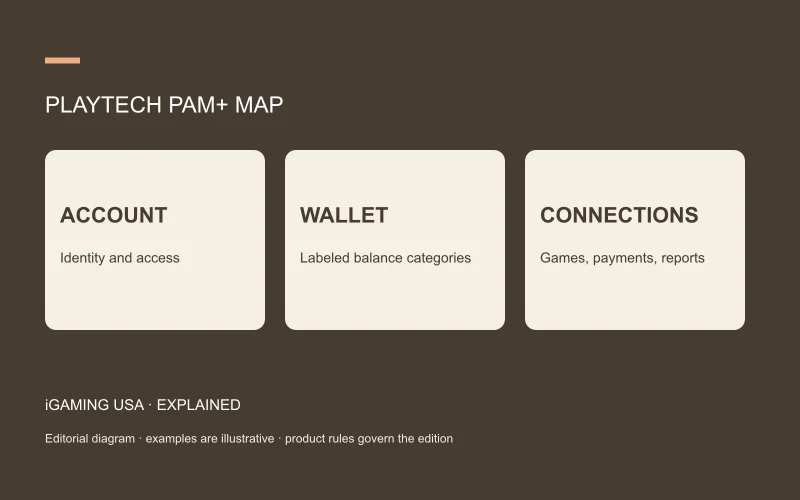
Playtech PAM+ is a player-account-management platform that connects gaming products, account information, payments and operational tools. Playtech describes a single account and wallet alongside support for multiple balances and products. Those statements make more sense when you separate the user’s account identity from the individual balance categories inside it.
In this article
What Playtech PAM+ manages
The official PAM+ page describes an omnichannel account platform, a flexible wallet and integrated tools. Playtech’s services page also describes operational systems linked to the IMS/PAM+ profile. Software capability and the contracted operational service should be identified separately in a proposal.
For a reader mapping a platform, the account is the organizing record. Products and services connect to that record for their particular purposes. The precise ownership of transactions, identity checks, support actions and reports belongs in the implementation specification.
One account can contain several labeled balances
A single login can organize multiple categories of funds or product activity. Each category needs its own definition and movement rules. The interface should make clear which amount is being shown, which product it applies to and which conditions govern its use.
Illustrative example: an account report contains $40 in one balance category and $10 in another. The arithmetic sum is $50, but whether the categories can be combined for a given operation depends on their definitions. The example describes why labels matter; it does not reproduce a current Playtech operator’s wallet rules.
| Platform layer | Practical evidence to request |
|---|---|
| Account | Stable account identifier and access model |
| Wallet | Balance categories and transaction definitions |
| Product connection | Session and round mapping |
| Support | Authorized actions and audit trail |
| Reporting | Fields, time zone and reconciliation examples |
A concrete review scenario
Consider a hypothetical acceptance exercise: an authorized test account opens a named game, completes a round and then views its transaction history. The review checks whether the session, game event and balance movement can be joined through stable references.
A second exercise can compare the same record in the support view and the finance report. Both teams should be able to identify the event they are discussing. These are proposed checks to include in a project brief, rather than results of testing carried out for this article.
What the engagement center adds
Playtech lists tools for journeys, campaigns, leaderboards and missions within the PAM+ offering. In a system map, it is useful to distinguish those surrounding tools from game-round settlement. That separation makes both user explanations and operational reporting more precise.
A complete scope statement records the selected tools, configuration owner, supported products and rule versions. It also states which tasks the supplier delivers and which the operator performs with the tools.
Questions readers commonly ask
Is PAM+ the same as a game catalog? It is the account-management layer described in the supplier documentation. Does the services page mean every deployment includes managed support? The contract establishes which operational services are included.
The guide to platforms, RGS and aggregators explains the neighboring layers. For comparing prices, revenue share versus flat fees helps keep commercial definitions consistent.